Tab Custom Events
In the Custom Events tab, custom events can be created and managed overall. These custom events can then be defined as triggers for script blocks.
The same "Custom Events" tab exists both in the Script Blocks module and in the Dashboard module1.
User Interface Overview
The user interface is divided into 3 parts:
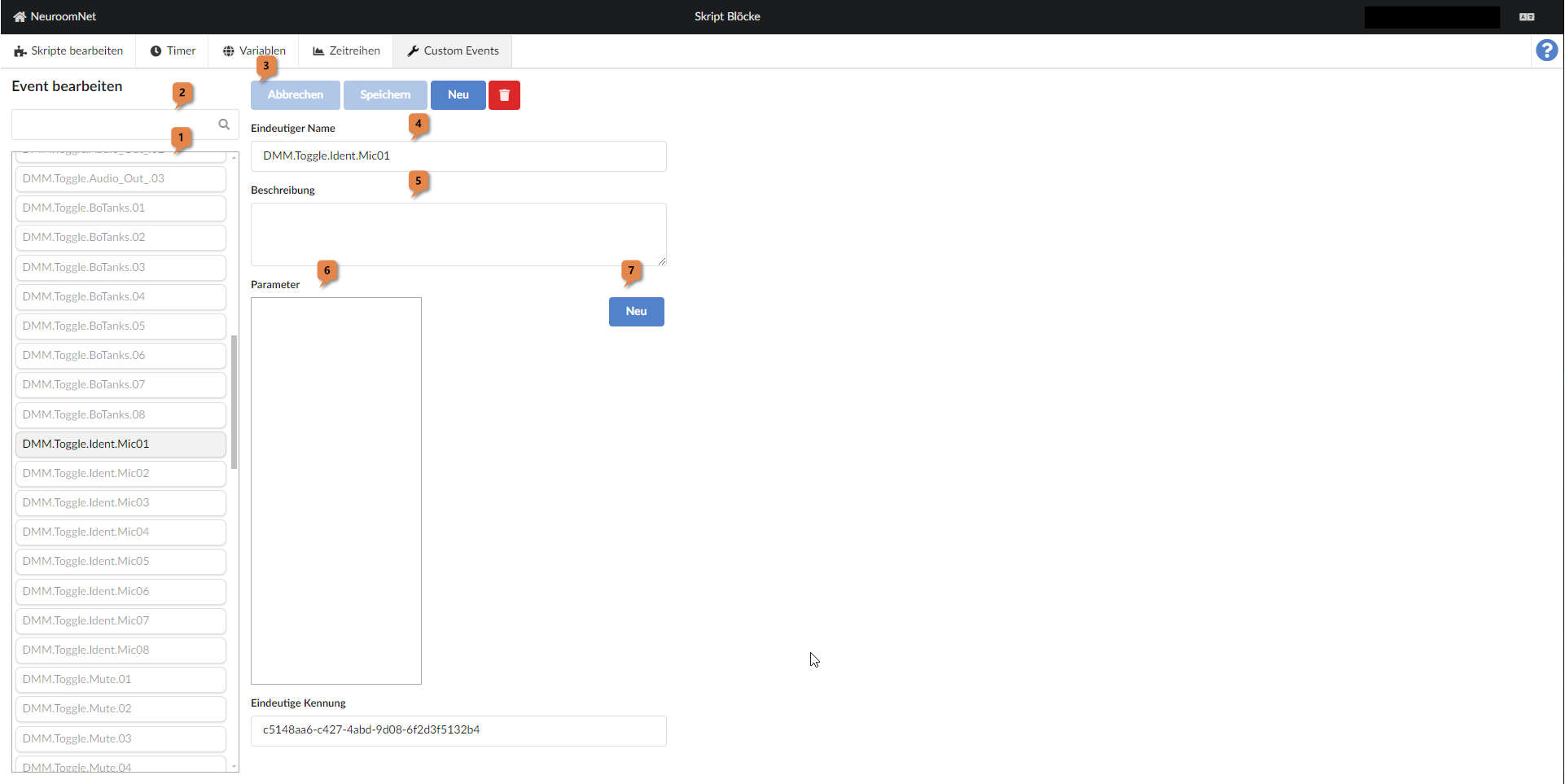
In the left part, existing custom events can be selected 1 (and filtered 2).
The upper right part shows the main properties of the currently selected custom event and they can be edited there:
- Using the button bar 3 the following can be done:
- Buttons "Cancel" and "Save": Undo or save changes made to the currently selected custom event since the last save
- Button "New": Create a new custom event
- Trash button: Delete the currently selected custom event
- Field "Unique Name" 4: Unique name of the custom event
- Field "Description" 5: (Optional) description of the custom event
In the lower right part, any existing (input) parameters of the currently selected custom event are displayed and can be edited:
- List view "Parameters" 6: Existing parameters can be selected in the list view
- Button "New" 7: Create a new parameter
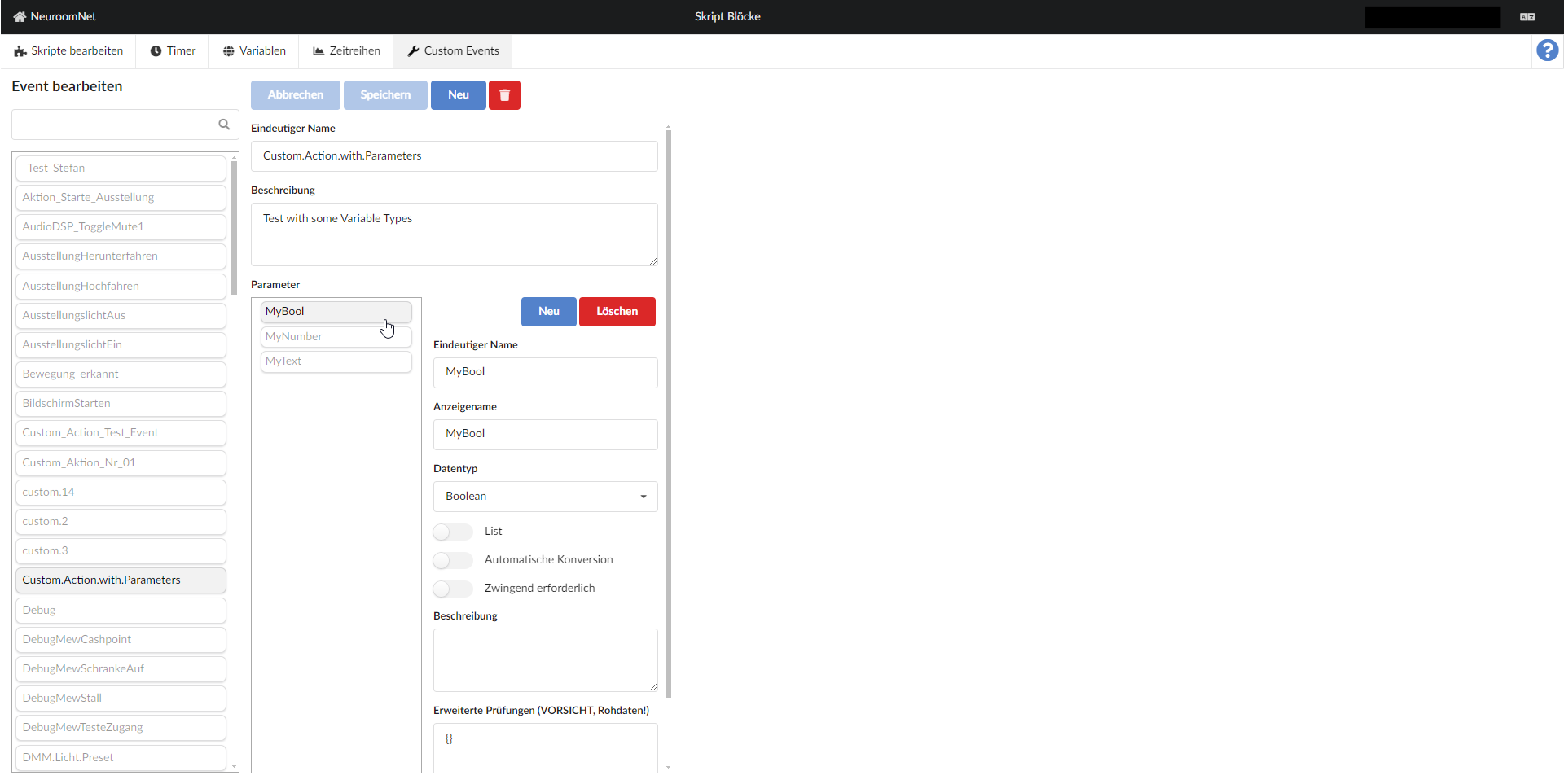
In the screenshot above there are no parameters for the selected custom event "DMM.Toggle.Ident.Mic01". The following screenshot shows the custom event "Custom.Action.with.Parameters", which contains three parameters:
- MyBool
- MyNumber
- MyText